Stonetop at the Beach

I'm bringing Stonetop along on holiday, but I'm not about to haul both books to the beach. I already have the PDFs on my iPad, but for sitting outside in the sun, a Kindle is just much easier to read.
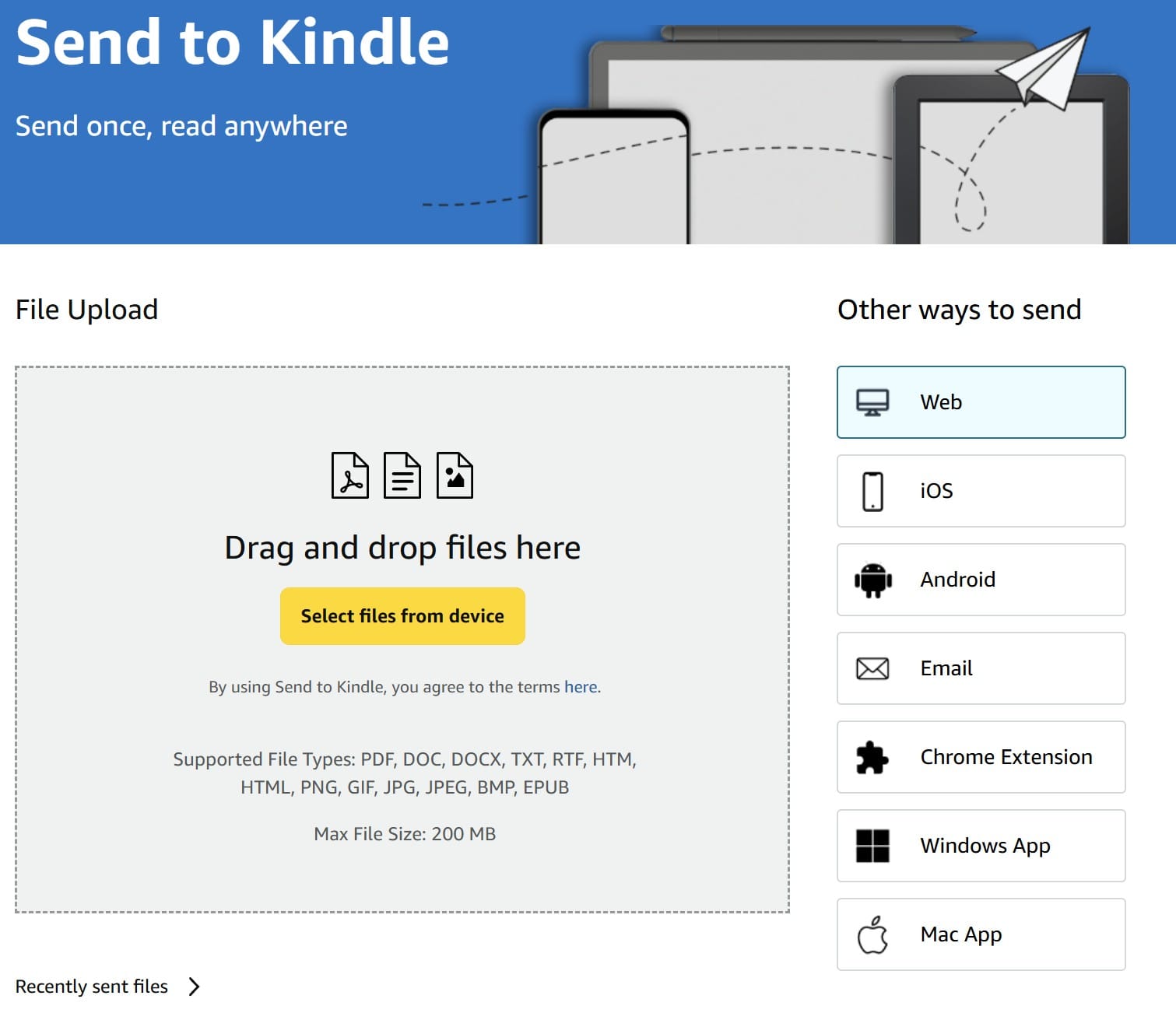
Amazon's Send to Kindle page lets you upload PDFs directly from your computer. Select the Stonetop PDF, send it to your Kindle library, and after it syncs it'll show up on the device.
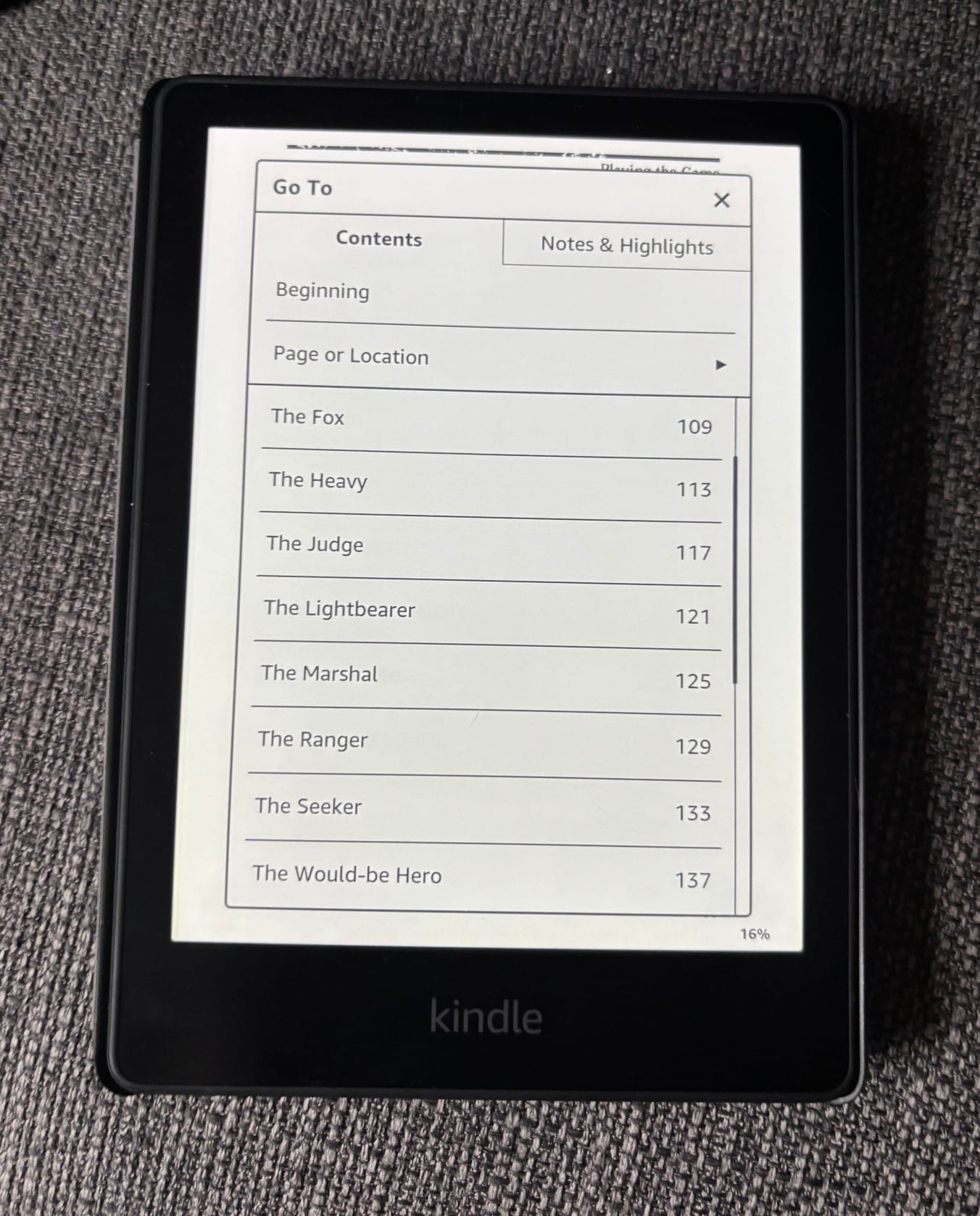
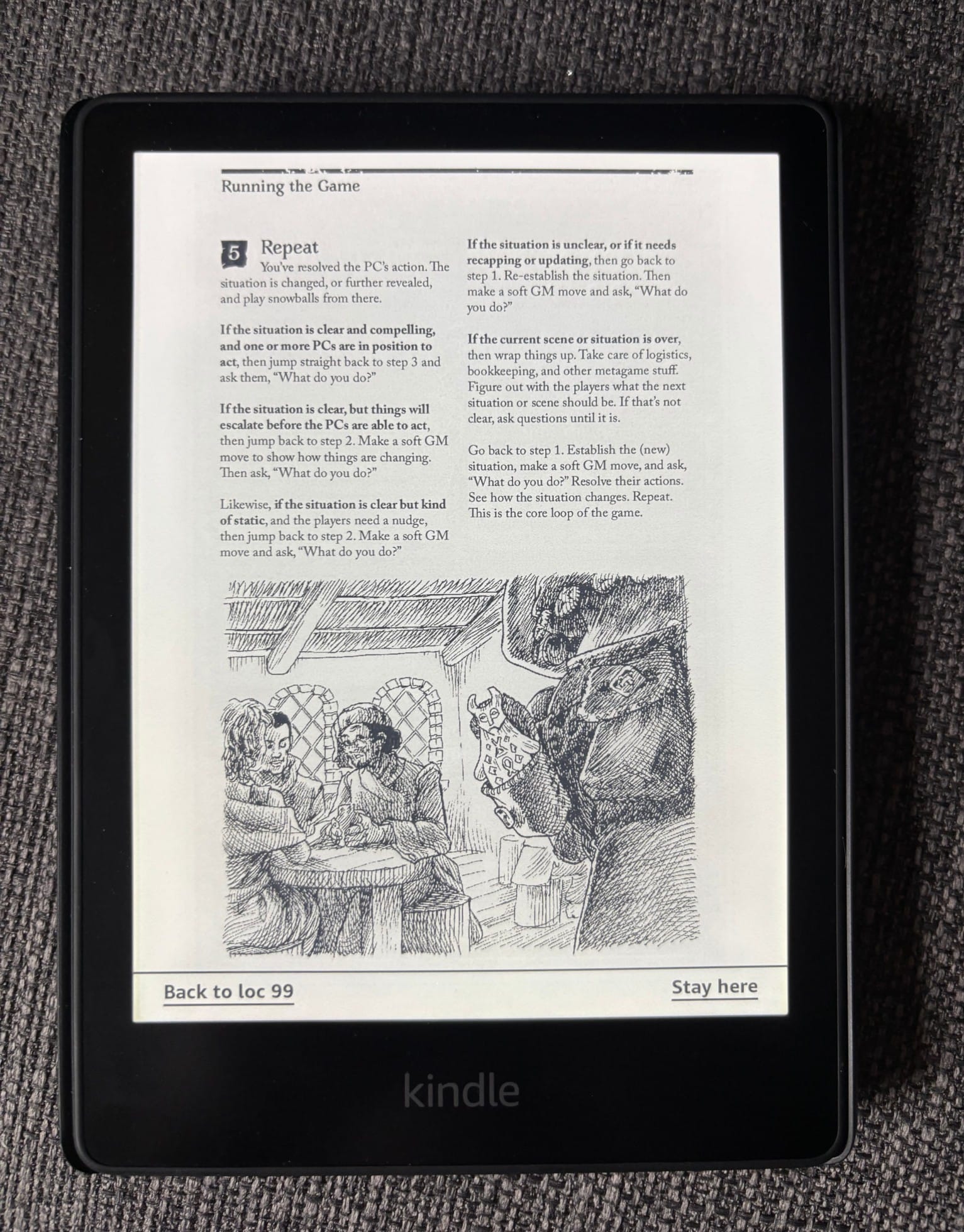
The Stonetop PDFs work surprisingly well this way. You're still looking at the original page layout rather than an ebook, but the text is quite readable on my Kindle. Even better, the PDF's table of contents comes through, so I can jump directly to sections like the playbooks instead of paging through the entire book.
Sending the PDFs
- Go to Amazon Send to Kindle and sign in with the Amazon account connected to your Kindle.
- Upload the Stonetop PDF.
- Send it to your Kindle library.
- Sync your Kindle and open the book.

Join the conversation?
Have a question, comment, or something Stonetop-related to share? Visit r/Stonetop on Reddit.
Have a question, comment, or something Stonetop-related to share? Visit r/Stonetop on Reddit.